Records by voice and receipt
Say “lunch 40,000 and taxi 15,000” and get two entries. The camera reads a receipt: amount, date and shop.
Listening00:04
LunexEnglish
Lunch 40,000 and taxi 15,000
Lunex works out how much you can spend today, records an expense in 2–3 taps and saves for your goals.
What you can spend today, Smart Save, the tip of the day, accounts and payments due. The eye in the corner hides every amount.
Its own keypad does «+ − ×», recent categories come first. Saved in 2–3 taps.
The budget works from the first entry and the month starts on payday. Category limits warn you at 80 and 100%.
Spending by category and by day, a spending calendar and a comparison with last month. Worked out on the iPhone, offline.
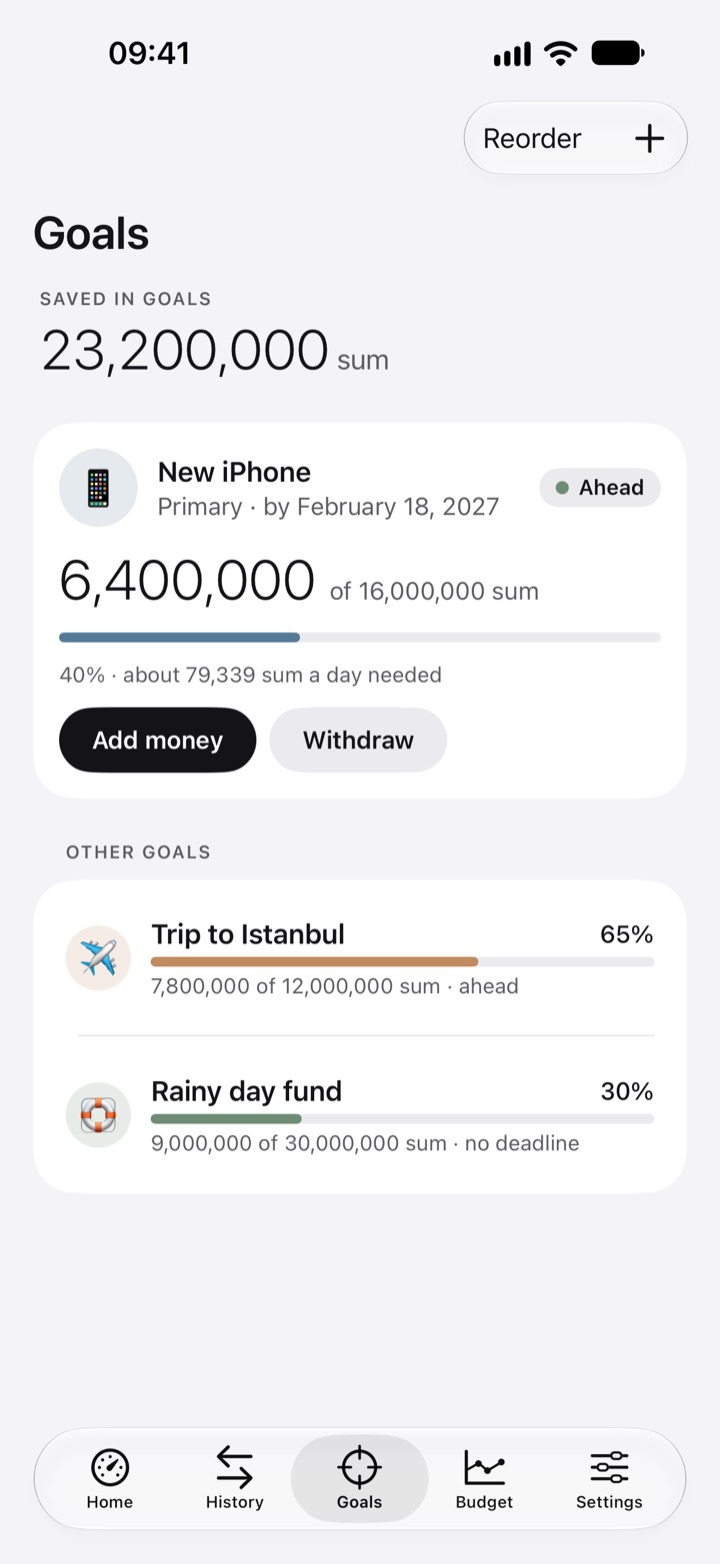
How much to set aside a day, a week and a month, and whether you are on schedule. 25, 50, 75 and 100% are marked.
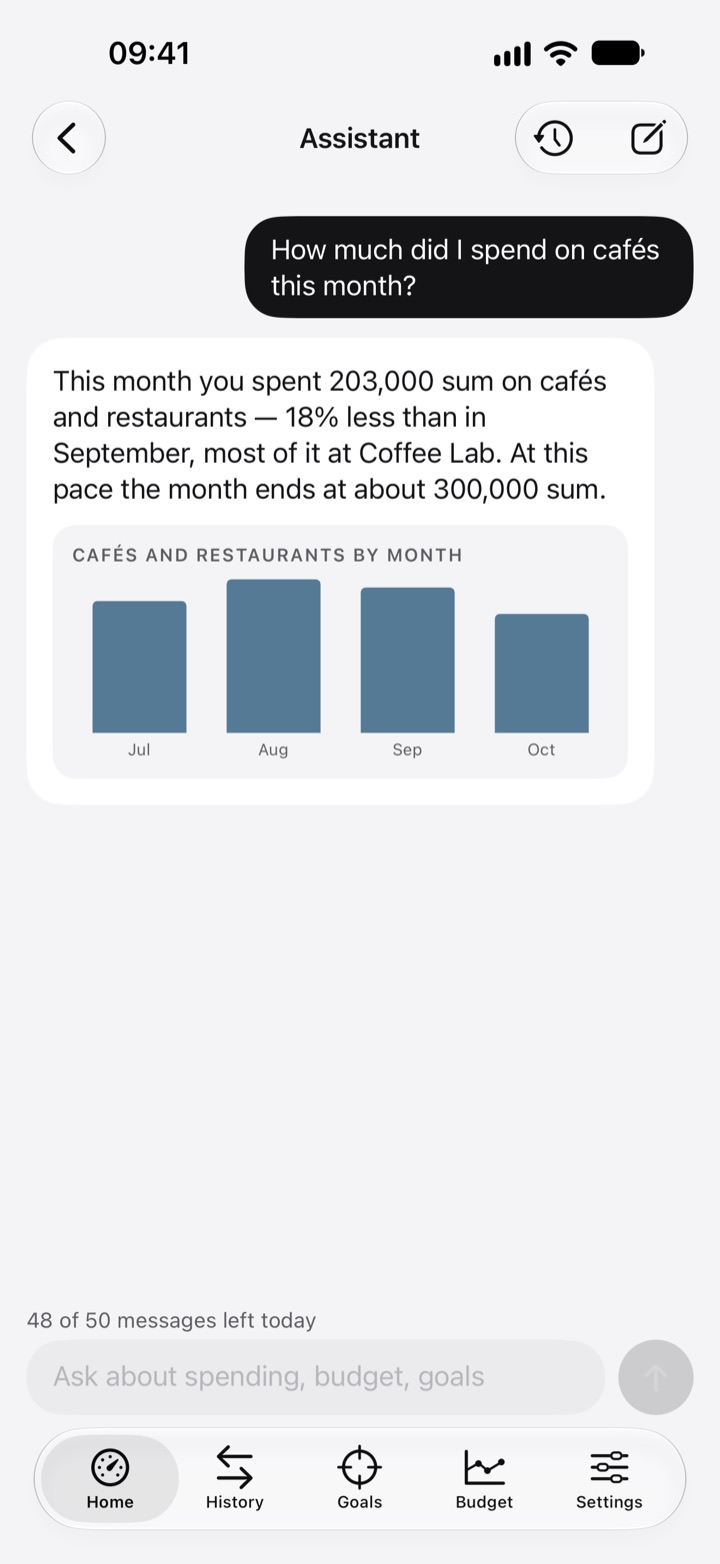
“How much did I spend on cafes in September?” The answer comes with a figure and a chart; data goes to AI only with your permission.
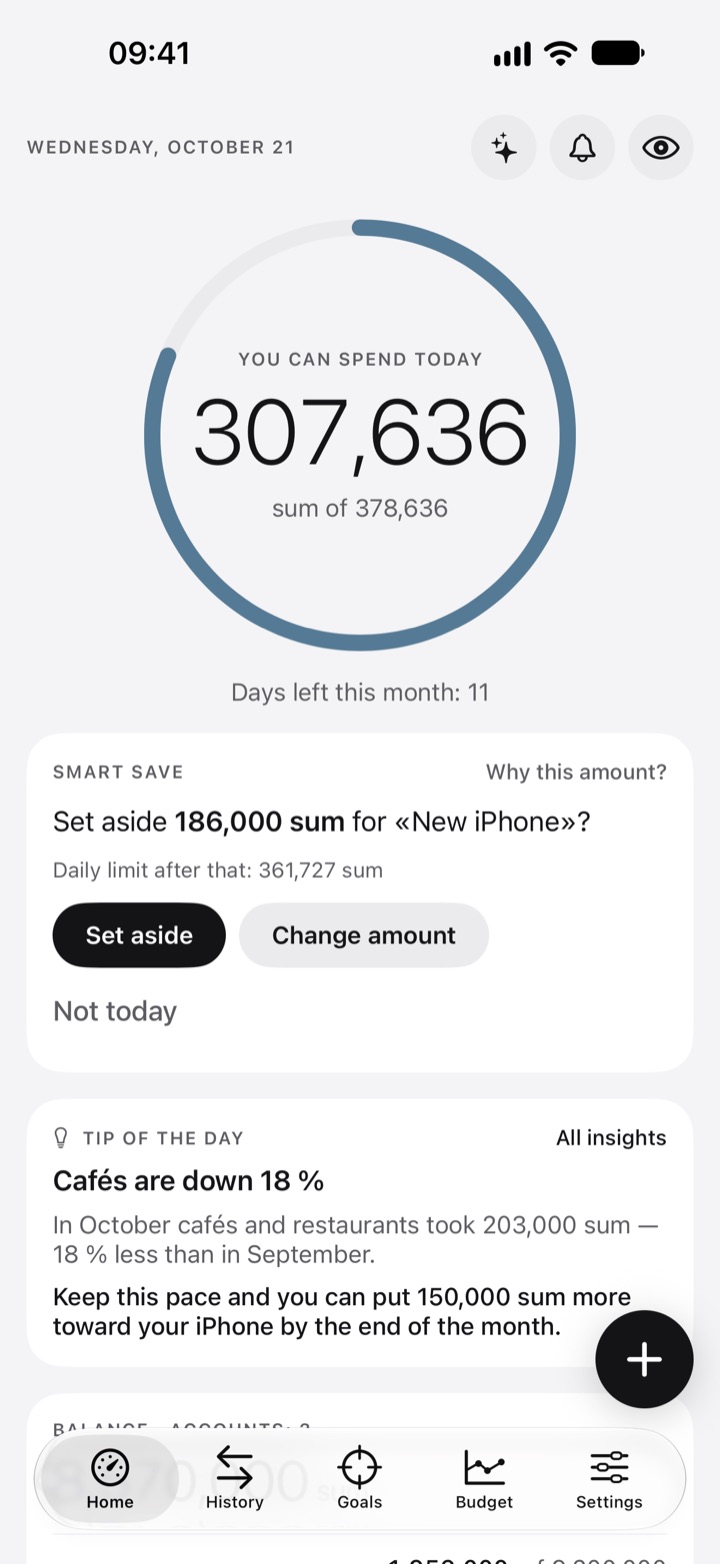
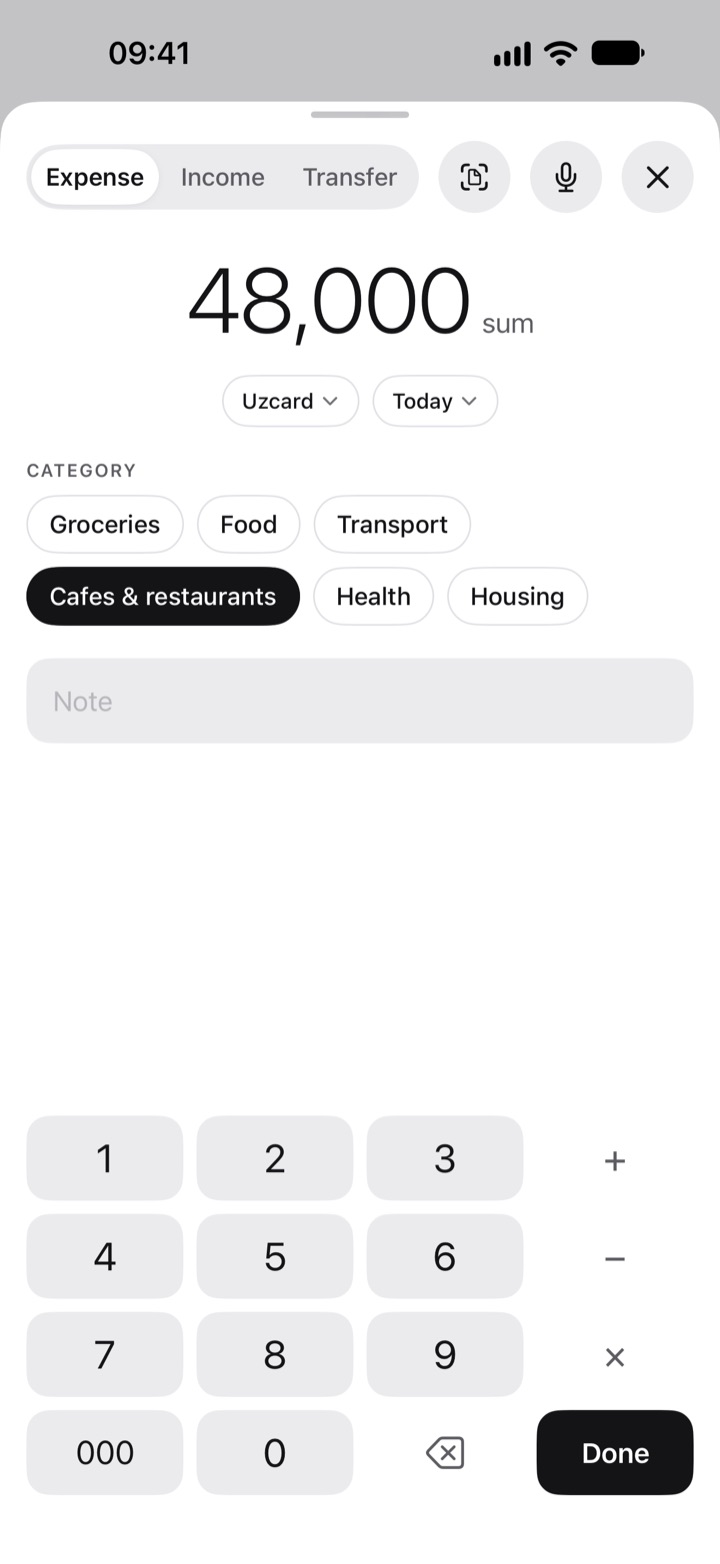
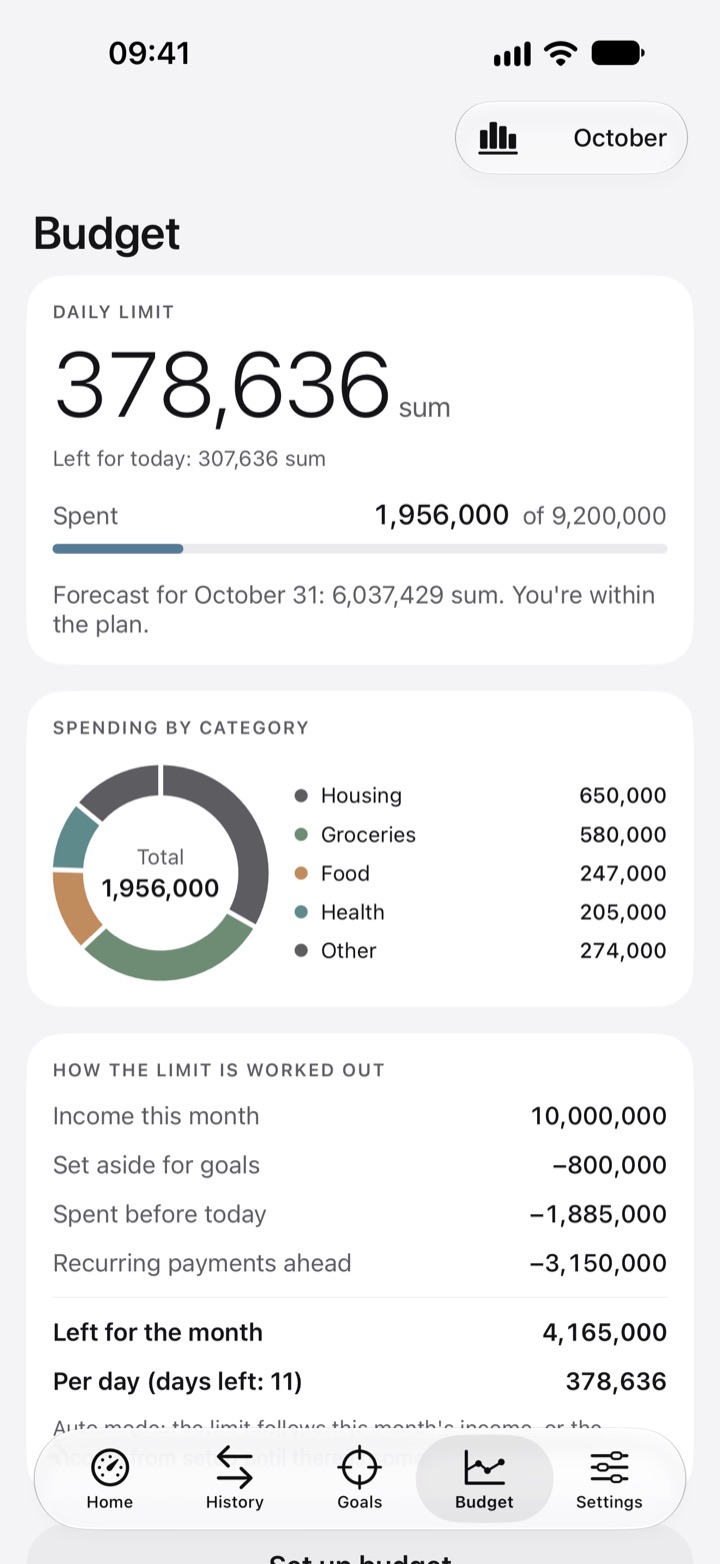
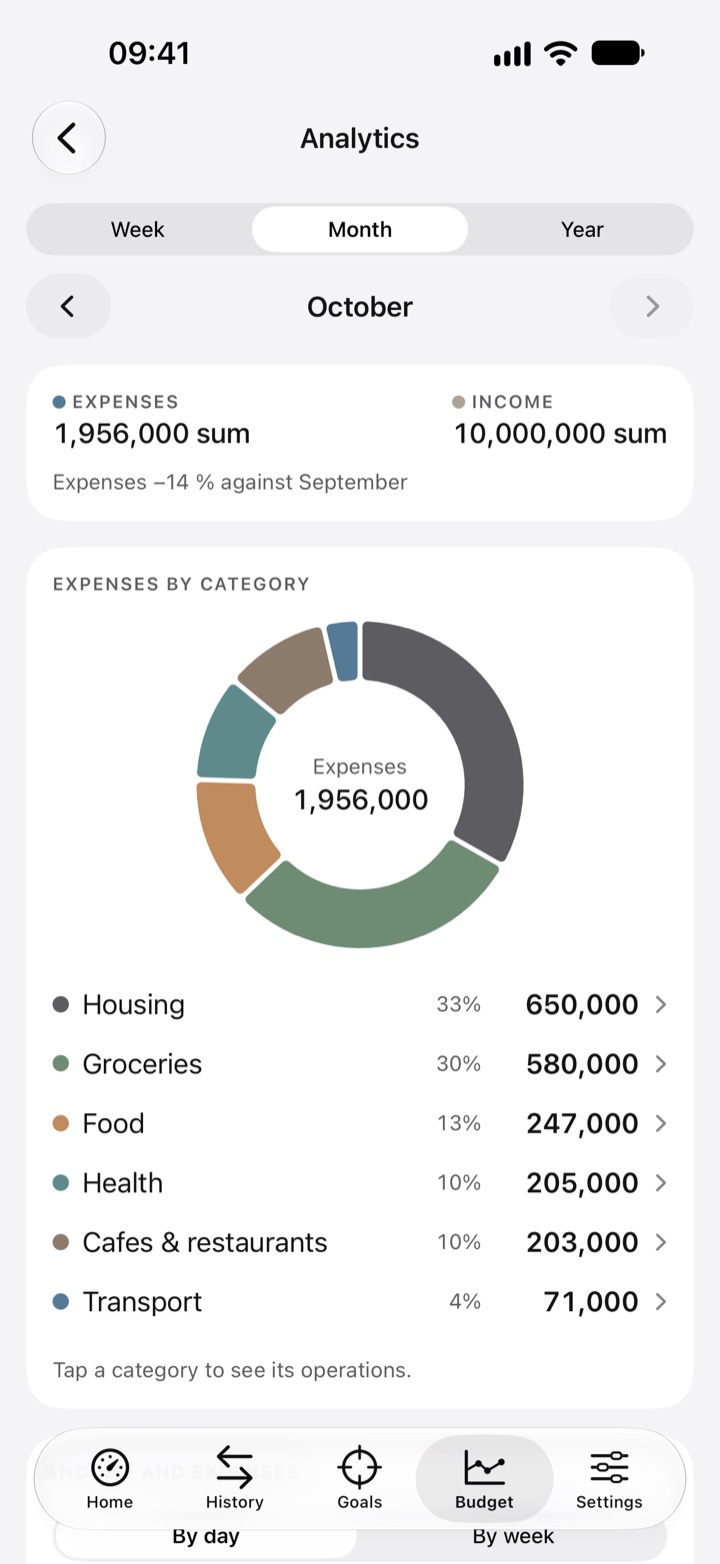
The main figure in Lunex: the daily limit minus what you spent today. It changes the moment you add an entry, even offline.
Lunex takes the month’s income and subtracts what goes to goals, what you spent and the payments still ahead. The rest is split over the days left, today included.
Smart Save will suggest setting aside 180,000 sum
Say “lunch 40,000 and taxi 15,000” and get two entries. The camera reads a receipt: amount, date and shop.
Rent, internet and subscriptions are counted in the limit ahead of time. Record and Set aside work right in the notification.
 Rent due tomorrow4,500,000 sum from the Uzcard cardRecordSmart Save: 85,000 sumFor the goal “New iPhone”Set asideWeekly report12% less on cafes than the week before“New iPhone”: 50%Halfway there
Widgets for the Home Screen and the Lock Screen. An expense through Siri or the Action button.
Cash, cards and savings in different currencies. The Central Bank of Uzbekistan rate for the entry’s date fills in by itself.
Accounts
Lunex works out what to set aside a day, a week and a month. Smart Save suggests an amount each morning, and auto-save and round-ups do the rest.
Goals
Phone
16,000,000 sum
Entries live on your iPhone and on the Lunex server, so they match on all your devices. They go to Claude (Anthropic) only if you allow it.
Every feature is free for now. A Lunex Pro subscription comes later, and every new user gets 30 days of Pro for free.
Press Join the beta and send us the email of your Apple ID. We reply with a TestFlight invitation: install that Apple app and open the link on your iPhone.
No. You add entries yourself: in 2–3 taps, by voice or from a photo of a receipt. That is also why Lunex works offline.
Uzbek, Russian and English, whatever language your iPhone uses. Accounts in any currency, transfers at the Central Bank of Uzbekistan rate.
Not for now: Lunex is made for iPhone with iOS 18 or later. Versions for iPad and Apple Watch follow the first release.